eSIM in Sri Lanka (2026 Guide): Everything You Need to Know
Thinking about using an eSIM in Sri Lanka? Learn what eSIM is, which phones support it, supported mobile networks, benefits, activation steps, and everything you need to know before switching.
By Techmart Team · Published 29 July 2026 · 4 min read
eSIM in Sri Lanka (2026 Guide)
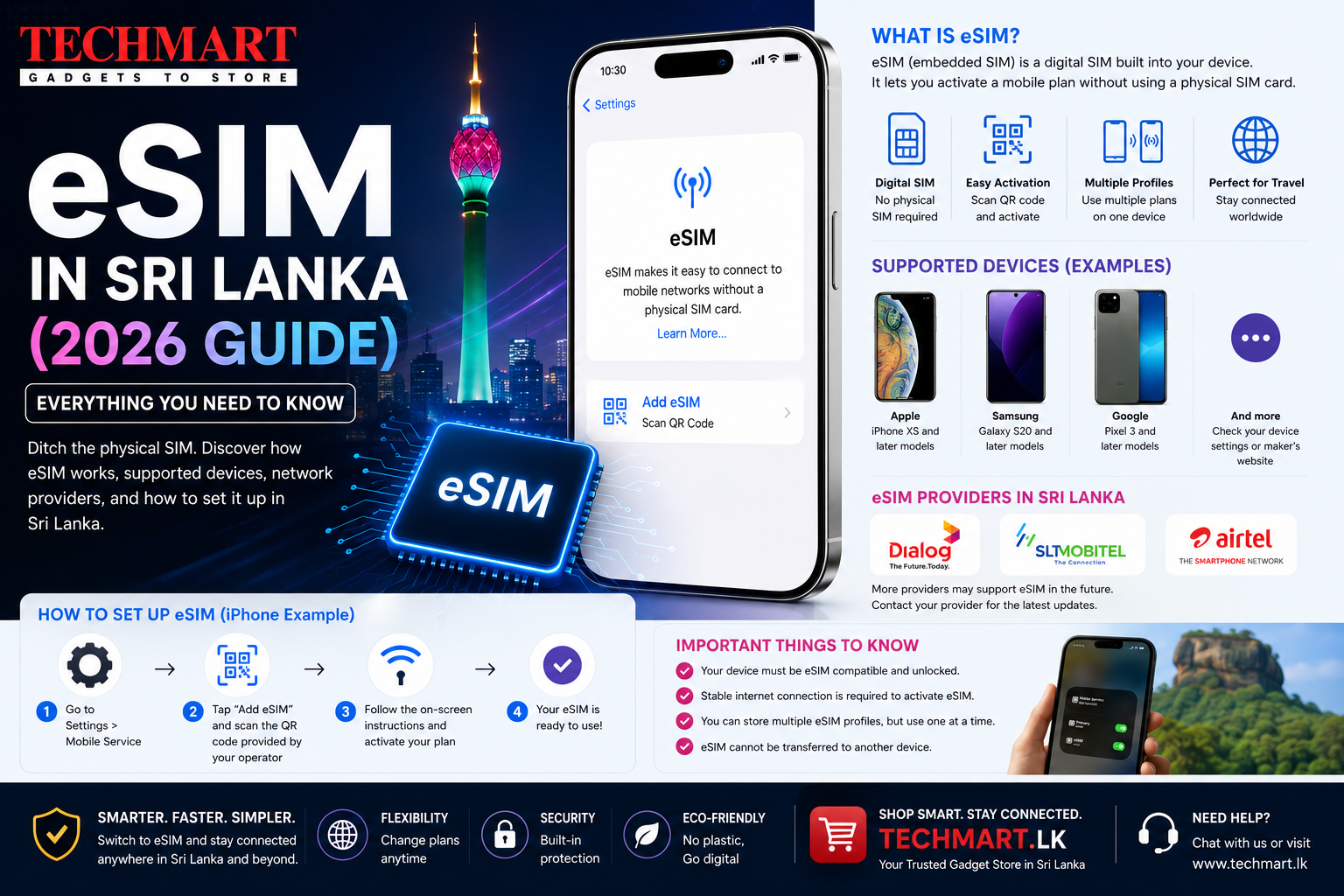
eSIM technology is becoming increasingly popular, allowing users to activate a mobile plan without inserting a physical SIM card. Many of the latest smartphones, tablets, and smartwatches now support eSIM, making it easier than ever to switch networks, use multiple numbers, or stay connected while travelling.
If you're wondering whether eSIM works in Sri Lanka, which mobile operators support it, and whether your phone is compatible, this guide covers everything you need to know.
What is an eSIM?
An eSIM (Embedded SIM) is a digital SIM built directly into your device. Instead of inserting a plastic SIM card, you activate your mobile plan by scanning a QR code or downloading a carrier profile.
The eSIM functions just like a physical SIM but offers greater flexibility and convenience.
Quick Comparison
| Feature | Physical SIM | eSIM |
|---|---|---|
| SIM Card Required | Yes | No |
| Activation | Insert SIM | QR Code / Carrier Profile |
| Dual SIM Support | Limited | Excellent |
| Easy Network Switching | No | Yes |
| Ideal for Travel | Good | Excellent |
Advantages of eSIM
- No physical SIM card required.
- Activate your mobile plan within minutes.
- Store multiple mobile plans on one device.
- Ideal for frequent travellers.
- Easy to switch between personal and business numbers.
- Reduced risk of losing or damaging a SIM card.
Does eSIM Work in Sri Lanka?
Yes. Several mobile operators in Sri Lanka offer eSIM services for compatible devices. Availability, activation methods, and supported plans may vary depending on the operator, so it's best to confirm current options with your provider before purchasing or switching.
Popular Smartphones That Support eSIM
Apple iPhone
- iPhone XS / XS Max
- iPhone XR
- iPhone 11 Series
- iPhone 12 Series
- iPhone 13 Series
- iPhone 14 Series
- iPhone 15 Series
- iPhone 16 Series
- iPhone 17 Series
Samsung Galaxy
- Galaxy S22 Series
- Galaxy S23 Series
- Galaxy S24 Series
- Galaxy S25 Series
- Galaxy S26 Series
- Galaxy Z Fold Series
- Galaxy Z Flip Series
Google Pixel
- Pixel 6 and newer
- Pixel Fold
- Pixel Pro models
How to Activate an eSIM
- Request an eSIM from your mobile operator.
- Receive the QR code or activation details.
- Open Settings → Mobile Data / Cellular.
- Select Add eSIM or Add Cellular Plan.
- Scan the QR code.
- Follow the on-screen instructions.
- Your mobile plan will be activated.
How to Check if Your Phone Supports eSIM
On iPhone
- Settings → Mobile Data → Add eSIM
- If the option appears, your iPhone supports eSIM.
On Samsung Galaxy
- Settings → Connections → SIM Manager
- Look for Add eSIM.
Can You Use Dual SIM?
Yes. Most modern smartphones allow you to use a physical SIM together with an eSIM. This is useful if you want separate personal and work numbers or if you frequently travel and need a local data plan while keeping your primary number active.
Who Should Use eSIM?
- Frequent travellers
- Business professionals
- People using two phone numbers
- Users upgrading to modern smartphones
- Anyone who wants quick activation without swapping SIM cards
Frequently Asked Questions
Is eSIM better than a physical SIM?
Both provide the same mobile service. eSIM offers greater convenience because it doesn't require a physical card and makes switching networks easier.
Can I switch back to a physical SIM?
Yes. Most mobile operators allow you to move between an eSIM and a physical SIM, subject to their procedures.
Can I have multiple eSIM profiles?
Many modern smartphones can store multiple eSIM profiles, although the number that can be active at the same time depends on the device.
Final Verdict
eSIM is a convenient and flexible way to stay connected. It removes the need for a physical SIM card, simplifies switching between mobile plans, and is particularly useful for travellers and dual-SIM users. Before activating an eSIM in Sri Lanka, confirm that both your smartphone and your chosen mobile operator support the feature.